If you've ever clicked on a search result only to land on a version of a site you don't prefer, Kagi's URL Redirects (also known as URL Rewrites) puts you in control by automatically rewriting search result URLs before you even click them.
What are URL Redirects on Kagi Search?
URL Redirects are a powerful Kagi feature that lets you set up textual find-and-replace rules for search result URLs. When a search result matches one of your rules, Kagi rewrites the URL so you always land exactly where you want to.
Here are three practical ways to use it:
1. Replace Domain
Want to always visit the old Reddit interface instead of the redesign? Or prefer an alternative frontend for a service? With a simple domain-level redirect, you can swap one domain for another across all search results:
| Find | Replace |
|---|---|
reddit.com | old.reddit.com |
2. Replace in Path
Sometimes it's not the whole domain that you want a redirect for, it's a specific path segment. This is particularly useful if a project moved its docs and search engines still index the old location, or you want to pin results to a specific version of documentation:
| Find | Replace |
|---|---|
/docs/v2/ | /docs/v3/ |
3. Redirect AMP sites to their original URL
AMP (Accelerated Mobile Pages) is a Google-backed web framework that creates stripped-down versions of web pages designed to load faster on mobile devices, often served from Google's own cache rather than the original publisher's server. Google's AMP pages may show up in search results with mangled URLs that route through Google's cache. With Kagi Redirects, you can strip the AMP wrapper and go straight to the original source:
| Find | Replace |
|---|---|
https://www.google.com/amp/s/ | https:// |
How do they work?
Each redirect rule follows a simple format: two URLs separated by a pipe character |:
^URL you want to change | URL you want to go to instead
For example, say you prefer viewing Bluesky posts through Witchsky, an alternative frontend. You'd add this rule:
^https://bsky.app|https://witchsky.app
When a redirect is active on a search result, Kagi displays a small icon letting you know the URL was rewritten, and you can hover over it to see the original URL and the rule that changed it:
Examples shared by the community
We asked the Kagi community to share their favorite redirect rules, and they delivered. Here's a collection of redirects to get you started. Just copy any rule into your Redirect settings in the format shown above and you're good to go.
| Original URL | Redirect | Purpose |
|---|---|---|
https://reddit.com | https://old.reddit.com | Classic Reddit layout without the redesign |
https://imgur.com | https://rimgo.bcow.xyz | An alternative frontend for Imgur with no ads or trackers |
https://x.com | https://xcancel.com | Privacy-friendly Twitter/X frontend, no login required |
https://bsky.app | https://witchsky.app | Alternative Bluesky frontend |
https://www.youtube.com | https://skipcut.com | Skip intros and filler in YouTube videos |
https://www.npmjs.com | https://npmx.dev | Fast, modern browser for the npm registry |
https://www.curseforge.com | https://legacy.curseforge.com | Classic CurseForge layout, cleaner browsing for Minecraft mods and modpacks |
https://www.goodreads.com | https://biblioreads.eu.org | Privacy-friendly Goodreads frontend, works for direct book and author pages only |
https://en.m.wikipedia.org | https://en.wikipedia.org | Force desktop Wikipedia instead of mobile (full layout with sidebars, table of contents, and editing tools) |
Always land on the latest docs
The match pattern supports regex (regular expressions), which lets you do fancier things like match multiple URL patterns or capture parts of the URL to rearrange them. For example, this rule always redirects you to the latest Knot DNS docs, no matter which version the search result links to:
^https://www.knot-dns.cz/docs/(?:[^/]+)/(.*)|https://www.knot-dns.cz/docs/latest/$1
Here, (.*) captures everything after the version number, and $1 pastes it into the new URL. So a link to /docs/3.2/configuration becomes /docs/latest/configuration.
Thanks to Thomas Jensen for this tip!
See it in action
Check out this quick demo to view the full process of creating a URL redirect and how it functions once implemented:
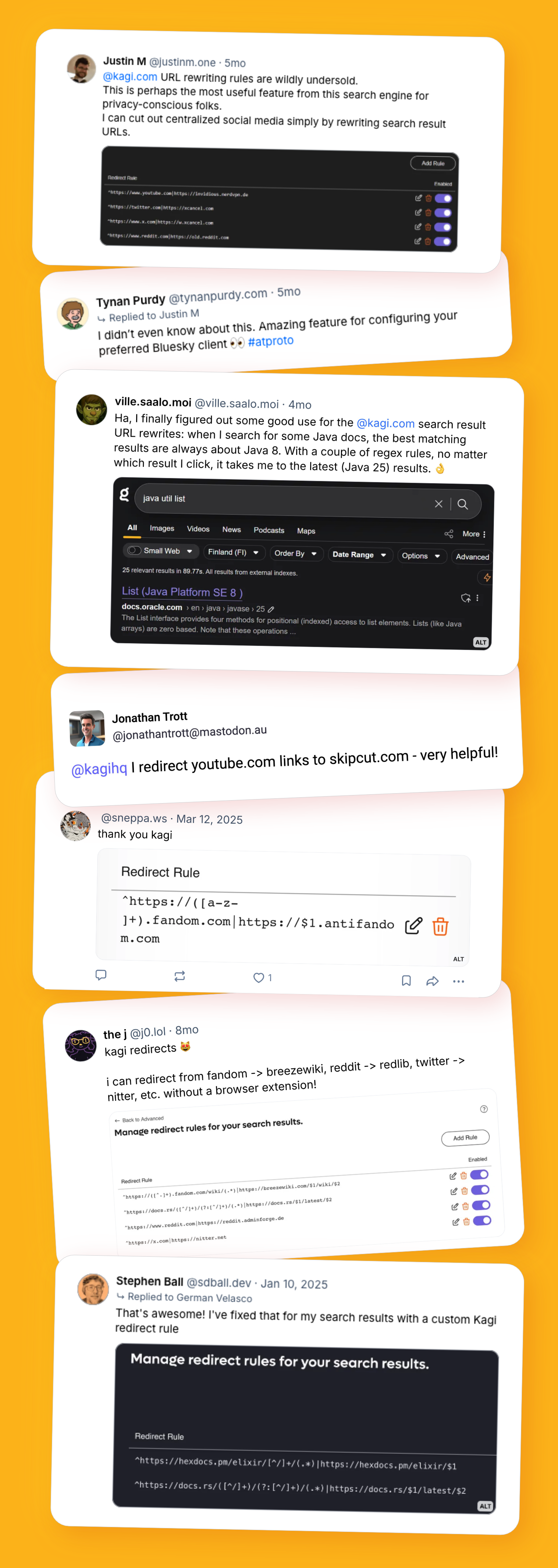
What users say about the utility of URL redirects
Our help docs have more information for anyone looking to dig deeper. Found a clever use case of your own? Share it with the community and tag us!